Researched
Acaia Pearl Review: The Scale Baristas Actually Trust
A 150 dollar scale that does exactly one job — track weight and time with almost no lag — better than anything else at the price. Buy it if you actually weigh dose and yield; skip it if you're still eyeballing scoops.
On this page
The short version
A scale shouldn't be the most interesting purchase in your coffee setup, and most of the time it isn't. Then you use one that lags half a second behind what's actually on the platform, and you realize how much that lag has been costing you every time you've tried to stop a shot at 36 grams instead of 41. The Acaia Pearl fixes that specific, boring, expensive-to-ignore problem, and it does very little else.
Where it sits
Acaia built its name on exactly this — the original Lunar and Pearl launched around 2014 to 2018 aimed squarely at the specialty coffee crowd, at a time when most "coffee scales" were repurposed jewelry or kitchen scales with a stopwatch function bolted on. The current Pearl (sometimes called the Pearl S after a 2021 refresh) sits in the middle of Acaia's lineup — above the entry-level Lunar, below the flagship Pyxis, which adds a color touchscreen and a steeper price. The Pearl is the one most working baristas and serious home users actually buy, because it has everything that matters for dosing and yield without paying for a screen you'll glance at for half a second per shot.
Who it's for
- Anyone weighing dose and yield for espresso. This is the core use case and the Pearl is built for it specifically — flat, low-profile platform that fits under most portafilters, real-time-feeling readout.
- Pour-over and drip brewers who also want good timing. The auto-tare and stable readout work just as well for bloom timing and total brew weight as they do for espresso.
- Anyone who's been burned by scale lag before. If you've used a cheap scale that reads 38 g a full second after the shot actually hit 41 g, you already know why this matters.
Who should skip it
If you're pulling shots by eye and taste and have no interest in ratios, ignore this whole category — a scale won't fix a bad workflow, and $150 is real money for a problem you don't have. Casual pour-over drinkers who just want "about" the right amount of coffee are also better served by a $20-30 basic digital scale; the Pearl's advantages are specifically about speed and precision that matter most when you're timing a 25-30 second shot.
Build and design
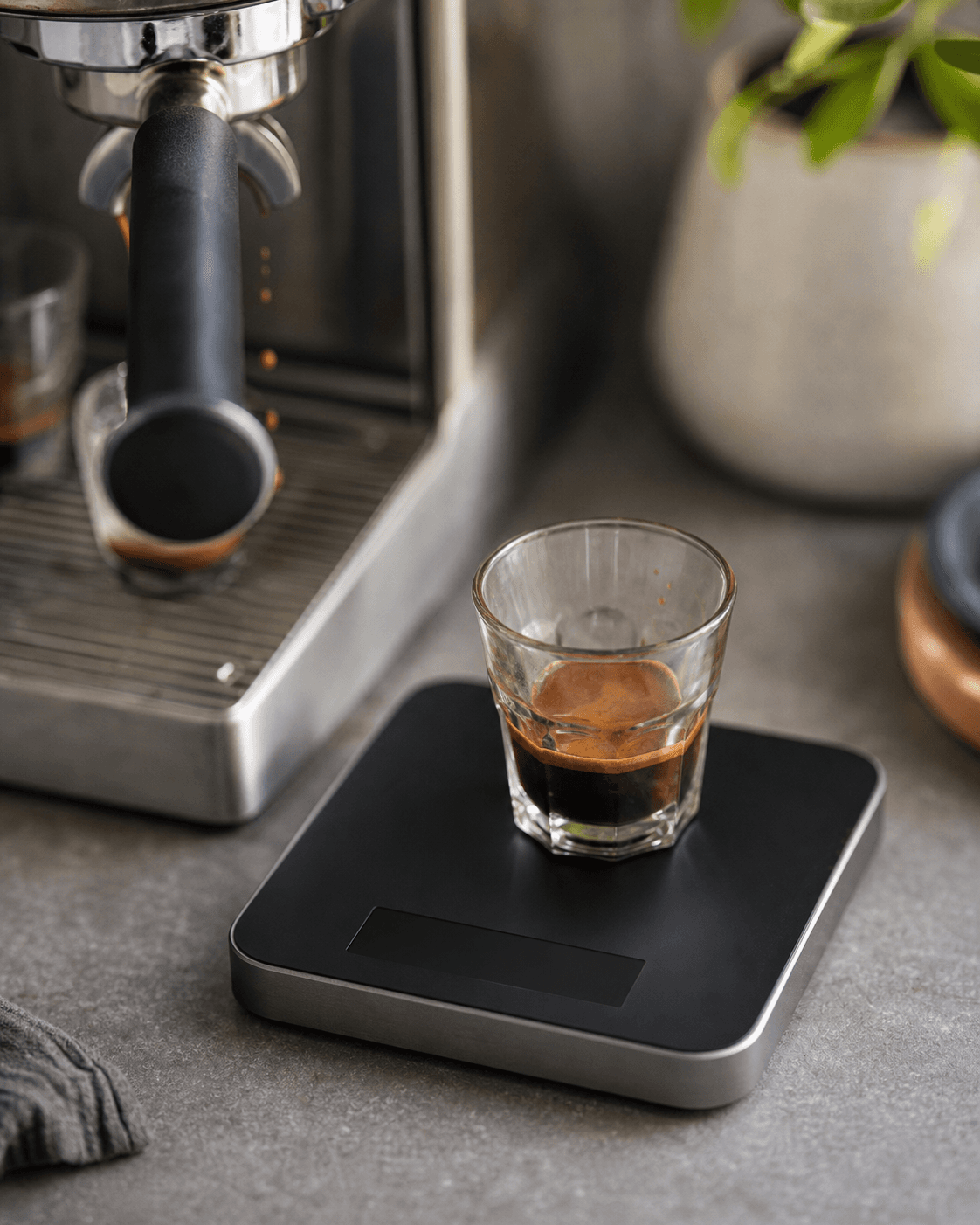
The Pearl is a slab of anodized aluminum with a glass or plastic top plate depending on the finish, touch-sensitive buttons instead of physical switches, and a footprint deliberately kept low and wide so a portafilter clears it comfortably. It charges over USB-C — a genuinely appreciated update from the original Lunar's proprietary cable — and the battery lives inside a sealed housing, which is good for water resistance around spills but means you can't swap it yourself when it eventually degrades. Build quality feels dense and intentional; there's no plastic flex when you set a portafilter down on it, and the touch buttons, while occasionally finicky with wet fingers, don't have the mushy unresponsiveness that plagues cheaper touch-scale attempts.
Performance
Resolution and accuracy
0.1 g graduation is table stakes at this price, and the Pearl holds it consistently — no drift creeping in mid-shot, no need to re-tare every few pulls to correct for wander. That alone puts it ahead of a lot of budget scales that advertise 0.1 g but only actually hold that precision near the low end of their weight range.
Response time — the actual differentiator
This is the spec that doesn't show up on a data sheet and is the entire reason to spend $150 instead of $25. Cheap scales sample and update the display slowly enough that by the time you see the target weight, the actual weight on the platform has already overshot it — often by a gram or more on a fast-flowing shot. The Pearl's update rate is fast enough that stopping a shot "on the number" actually means something. If you've ever pulled a shot aiming for a 1:2 ratio and consistently landed at 1:2.3 despite watching the scale closely, lag — not your reflexes — was probably the reason.
Timer integration
The built-in timer starts automatically when it detects flow (drip or pour) and stops when flow stops, which sounds like a gimmick until you've used it for a week and realize you've stopped fumbling for a phone stopwatch mid-extraction. It's not flawless — very slow, dripping streams can occasionally fail to trigger the auto-start reliably — but for a normal espresso flow rate it works close to every time.
Secondary performance
The Bluetooth app pairing logs shots automatically — dose, yield, time, and a flow-rate graph — which is genuinely useful if you're trying to dial in a new bean or track consistency over weeks, and completely skippable if you just want the number on the scale itself. Battery life is rated around 30 hours of continuous use; in daily single-person espresso use that translates to charging roughly weekly to every two weeks.
Daily use and ergonomics
The low profile is the detail that matters most day to day — plenty of "coffee scales" are just repackaged kitchen scales with too much platform height to fit a portafilter comfortably underneath, forcing you to prop the machine's drip tray or use risers. The Pearl was clearly designed with an espresso machine's clearance in mind. The touch buttons are the one recurring friction point: cold or wet fingers occasionally fail to register a tap, which is mildly annoying when you're trying to tare quickly between shots.
Maintenance and longevity
There's very little to maintain — no removable battery, no moving parts beyond the load cell itself, and the sealed design resists coffee grounds and splashes reasonably well. The known long-term issue is battery capacity fade after roughly two to three years of daily charging cycles, which is a real cost of the sealed, non-swappable design — when it happens, your options are a battery replacement service (where available) or a new scale.
Upgrades and what to pair it with
The Pearl doesn't need much — it's the complete tool on its own. If you're building out a full setup, a WDT distribution tool and a calibrated tamper address puck prep, which a scale can't. For anyone who wants a bigger display and more graphing detail, Acaia's Pyxis is the step up, at a meaningfully higher price for features most people check once and never look at again.
How it compares
Vs. a generic $20-30 digital kitchen scale: the resolution numbers can look identical on paper, but the response-time gap is the whole story — a budget scale will get you "close enough" for drip coffee and will actively mislead you when timing an espresso shot.
Vs. Timemore Black Mirror scales: Timemore's espresso-focused scales (like the Nano and Basic Pro lines) undercut the Pearl on price by roughly half and offer genuinely fast response times of their own — they're the strongest budget-adjacent alternative if $150 feels steep, at the cost of a less polished app ecosystem and shorter battery life in some models.
Vs. the Acaia Pyxis: the Pyxis adds a color touchscreen with live graphing on the scale itself rather than just in the app, and a slightly more premium finish — worth it if you actively use flow-rate graphs while pulling, overkill if you mostly glance at a number and move on.
Known issues
The most consistent owner complaint isn't about accuracy — it's price relative to what a scale, fundamentally a simple device, costs to manufacture. The second most common complaint is battery degradation over multi-year ownership, which is a real trade-off of the sealed, non-swappable battery design rather than a manufacturing defect. Touch button misfires with wet fingers show up often enough in owner discussions to be worth mentioning, though it's a minor annoyance rather than a functional failure.
Verdict
The scores here reflect a scale that does its actual job better than almost anything else on the market, at a price that keeps it from being an easy universal recommendation. A 9 on performance and an 8 on build quality are earned by response time and construction that genuinely outclass cheaper alternatives; the 6 on value acknowledges that $150 is a lot for what is, mechanically, a fairly simple device — you're paying for engineering most people will never consciously notice, right up until they use a laggy scale again and immediately understand what they were missing.
What we like
- Response time is fast enough to actually time a shot off the readout
- 0.1 g resolution holds steady, no drift mid-pour
- Companion app logs shots automatically over Bluetooth
- Low-profile design fits under most portafilters and drip stands
What we don't
- 150 dollars for a scale is a hard sell to anyone not already dialing in ratios
- Touch buttons misfire occasionally with wet or cold fingers
- Battery capacity fades noticeably after two to three years of daily use
Specifications
| Max weight | 2000 g |
|---|---|
| Graduation | 0.1 g |
| Units | g / oz / lb:oz |
| Tare | Yes |
| Power | Rechargeable lithium battery |
| Auto-off | Yes |
| Warranty | 1 yr |
Frequently asked questions
Is the Acaia Pearl worth it over a cheap kitchen scale?
For espresso specifically, yes — the deciding factor is response time. A cheap scale can hit 0.1 g resolution too, but it lags half a second or more behind the actual weight on the platform, which throws off your timing when you're trying to stop a shot at a precise yield. The Pearl reads essentially in real time.
How long does the battery actually last?
Acaia rates it around 30 hours of continuous use, which in practice means charging every one to two weeks with daily espresso use. Owners report noticeably shorter runtime after two-plus years, which is the main long-term wear point on this scale.
Does it work for pour-over and drip too, not just espresso?
Yes — the flat, low platform and auto-tare make it just as usable for pour-over bloom timing as for espresso dosing. It's not marketed as a coffee-only scale for nothing.
Do I need the Acaia app to use it?
No. It works standalone with the physical buttons — the app adds shot logging, timer overlays, and flow-rate graphs, but the scale is fully functional without ever pairing it.